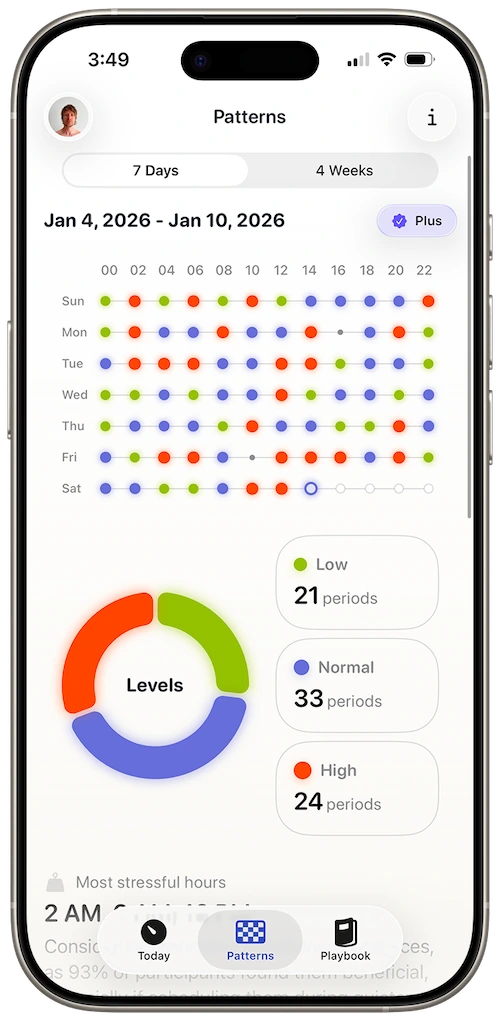
Your Apple Watch measures HRV every night. Most people don't know what it means.
RMSSD in milliseconds is accurate and useless without your personal baseline.
Open Apple Health. Find Heart Rate Variability. You’ll see numbers — 42ms, 51ms, 38ms — with no legend explaining whether today’s reading is fine, concerning, or meaningless noise.
HRV is not a league table. Higher is often better, but only relative to you, your age, your training, your sleep, and what your body did yesterday. A reading that would worry one person is normal for another. Without a personal baseline, monitoring HRV creates more anxiety than insight.
Your Apple Watch has been building that baseline data every night. Harvee is an HRV monitor designed for that reality: passive collection, personal range, trend direction, and plain-language guidance — not a wall of metrics for people who already love spreadsheets.
Reading Apple Watch HRV without the guesswork
Apple Watch HRV: storage vs monitoring
Health lists HRV in milliseconds — 42, 51, 38 — with no legend for whether today is fine, noise, or early warning. HRV isn’t a league table. Higher is often better, but only relative to you, your sleep, your training, yesterday’s load.
Your Apple Watch builds the raw archive nightly. Harvee monitors that archive: personal range, trend direction, context when a low reading is recovery versus overload.
Overnight samples as the anchor
Apple Watch HRV is most reliable during sleep — fewer movement artifacts, less caffeine noise. Harvee weights those readings when building baselines. Daytime samples add colour; overnight samples set direction.
Trend beats snapshot
One low night might be wine or a hard workout. Ten low nights is a pattern. Monitoring means watching duration and slope, not panicking at a single point.
For beginners and skeptics
Harvee’s Playbook explains mechanics without forcing sport science vocabulary. Today tab gives one takeaway. Patterns — Harvee+ — shows the month when you’re ready.
Harvee is not a medical device. Bring concerning trends to qualified professionals when appropriate.
Who this is for
This page is for you if:
- You wear your Apple Watch to sleep and noticed HRV appear in Health
- You're new to HRV and want explanation, not jargon
- You've googled 'good HRV number' and got contradictory answers
- You want to learn what your body is doing without becoming a full-time biohacker
This is not for you if:
- You don't own an Apple Watch. Harvee monitors HRV exclusively from Apple Watch HealthKit data.
- You want laboratory-grade morning HRV with a chest strap protocol. Other tools specialise in that workflow.
The solution
How Harvee helps
Harvee monitors your Apple Watch HRV continuously, establishes your personal baseline over two weeks, and shows whether readings are trending toward recovery or overload.
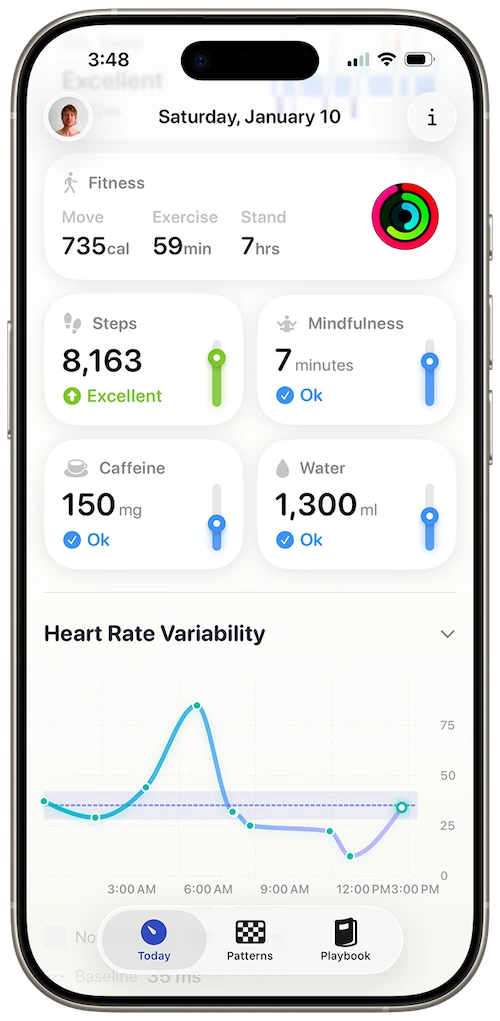
Trend direction — up, down, stable — without decoding raw Health
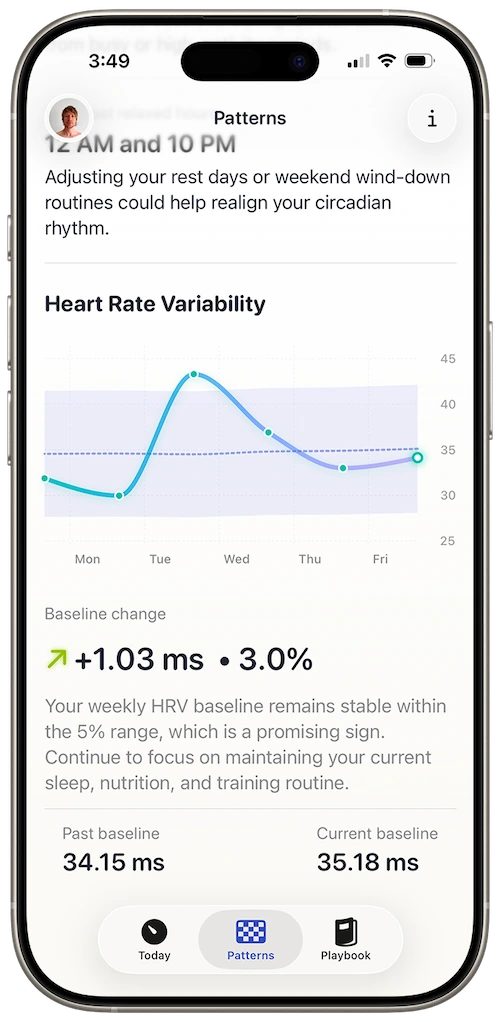
Context when a low reading is recovery versus warning
Personal HRV baseline
Harvee learns your normal range from your watch data, not from population averages online.
Passive overnight monitoring
No camera on your finger each morning. Apple Watch samples while you sleep; Harvee tracks the arc.
Trend over snapshot
One low night might be alcohol or illness. Ten low nights is a pattern. Harvee weights duration and direction.
Education without overwhelm
Playbook tab explains HRV mechanics in plain language — for curious beginners, not only experts.
You saw 34ms in Health and panicked. Harvee showed it was your third low night after poor sleep — still worth attention, but not a crisis compared to your personal baseline.
Common questions
Questions people ask before downloading
Will I understand the data?
Yes — that's the core design constraint. Harvee avoids leading with RMSSD. You get relative-to-you guidance first.
Is this for serious athletes or anyone?
Anyone curious about Apple Watch HRV. Athletes use it; so do professionals who've never tracked HRV before.
How is Harvee different from Health?
Health is storage. Harvee is monitoring with baselines, trends, and interpretation.
Is Apple Watch HRV accurate enough?
For personal trend monitoring, overnight Apple Watch HRV is widely used and sufficient. Harvee is optimised for that signal.
Do I need to measure HRV manually?
No. Harvee uses passive Apple Watch collection for core monitoring.
App Store reviews
What people said before they tried it — and after
4.7 stars on the App Store
Beautiful app
Jan 24, 2026 — dsteshinA wonderful app that helps manage stress. Harvee the fluffy one is just a cutie.
More useful than Whoop
Dec 26, 2025 — Angie_2906I already had a Whoop and wasn't sure I needed another app. But I found Harvee tracks my stress levels more accurately in daily life - and the insights are actually actionable. I don't need the Whoop anymore.
Simpler than I expected
Jan 4, 2026 — Aaleck0I'd tried other HRV apps and found them overwhelming. Harvee is different - the insights are clear, the presentation is clean, and it actually fits into daily life without becoming another thing to manage.
Try it free
Try it. You'll know within a week.
Googling “normal HRV” at midnight won’t help. Wear Apple Watch to sleep for fourteen nights with Harvee free tier — let your baseline form before judging any single reading. If interpretation still feels noisy, the problem may be wear consistency, not the app.

Why we built it
Why Harvee exists
Health stores HRV. Harvee monitors it — relative to you, over time, in plain language. The shift from “is 42ms good?” to “is my trend climbing or sliding?” is where monitoring becomes useful.
Stop guessing what milliseconds mean.
Requires Apple Watch Series 4 or later. iPhone required.